Markupdown is a simple native Mac app that I built to do a simple thing: review markdown text and leave feedback on it.
Why
I built this because I regularly ask Claude Code to write me documents, but I find the output to be fairly consistently 75% good 25% awful. Claude Code outputs a markdown file, but how do I give it feedback?
I could import into a Google Doc ... but then how do I get those comments back to Claude Code?
I could open in a text editor and leave [TODOs] but it gets annoying fast, particularly on long documents where you're copying hundreds of lines.
What it is, specifically
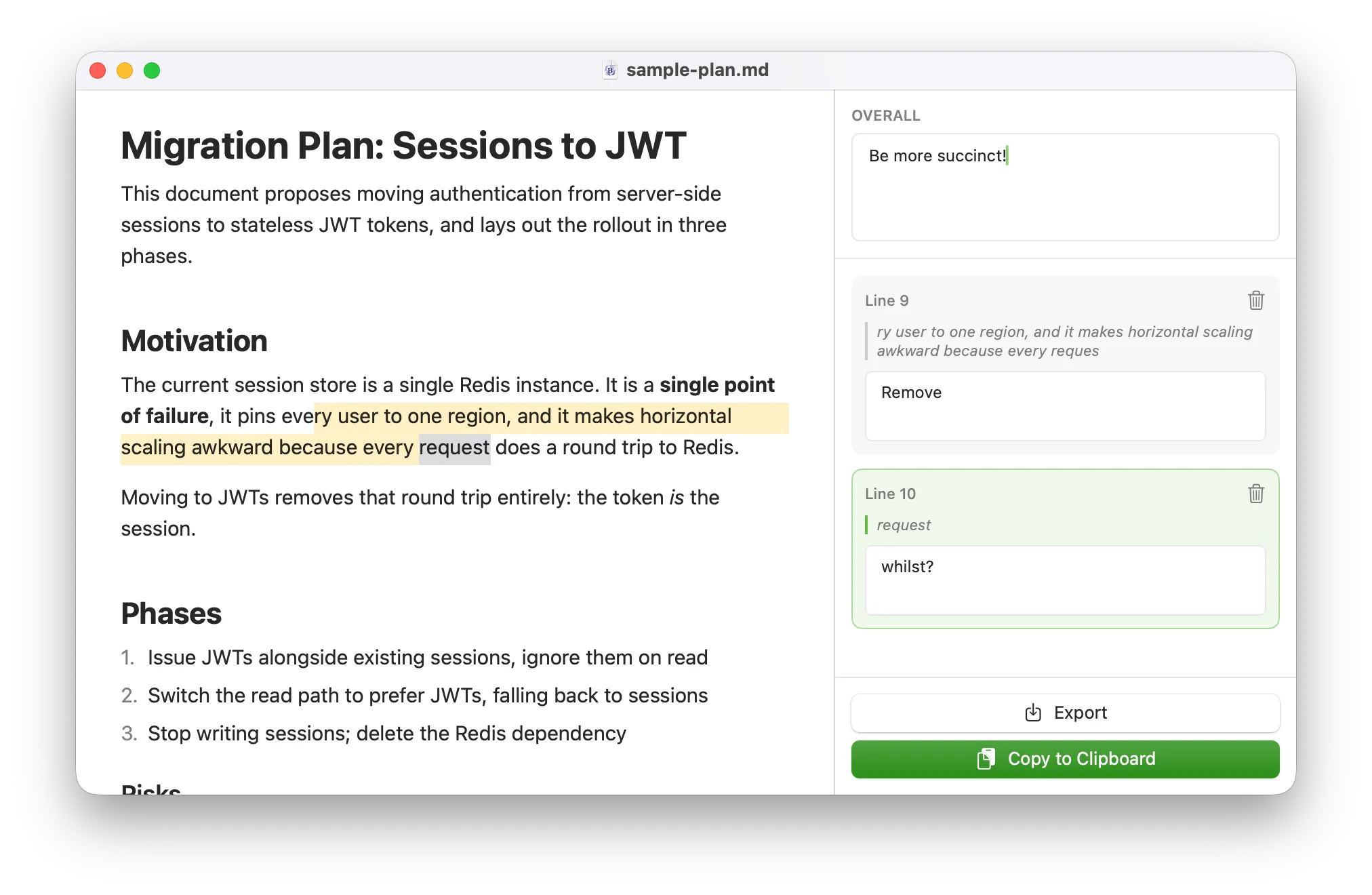
So with this app you can open a markdown file (or from clipboard) and then highlight lines and leave feedback. The feedback is nicely structured:
I reviewed `sample-plan.md` and left feedback. Please revise the document.

Document: `/Users/plc/Documents/markupmarkdown/Examples/sample-plan.md`

## Overall

Be more succinct!

## Comments

### 1. lines 9-10

> ry user to one region, and it makes horizontal scaling
> awkward because every reques

Remove

### 2. line 10

> request

whilst?
Such that you can copy it back into Claude Code and away it'll go.
So the workflow becomes:
Ask LLM to write a document
Open/paste that document in Markupdown
Shred the document with comments
Output that work back to the LLM (eg: paste it back to the LLM)
Repeat!