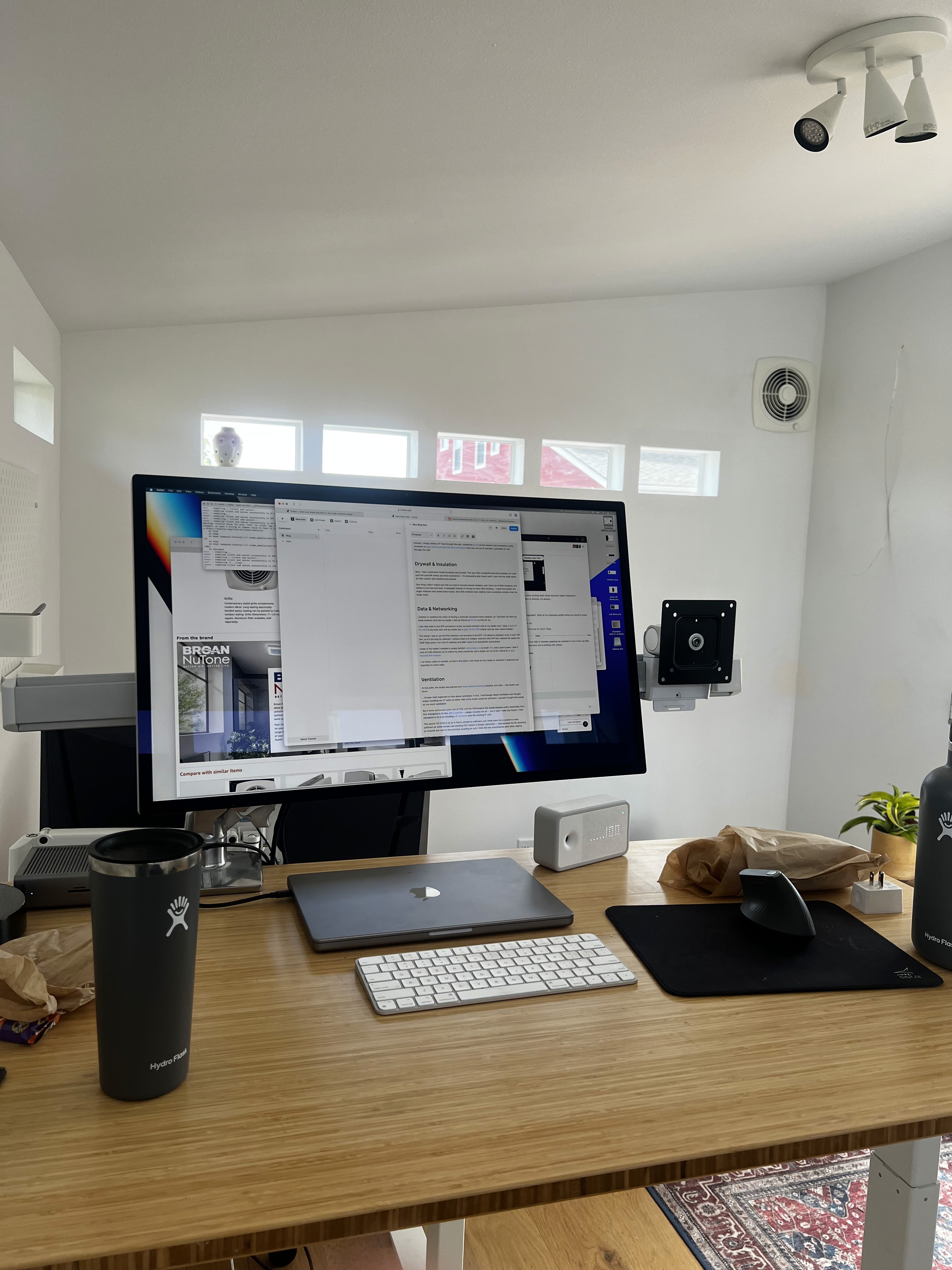
Over the years, my computer setup has alternated between maximalist and minimalist, and right now it's probably squarely in between.
I previously had an Intel 27" iMac and a MacBook Air. I loved the 5K screen but hated having two computers, I would eternally find that the thing I was doing was on the other computer, or that various settings were inconsistent. It felt like I was endlessly configuring apps. I also found that I rarely used my MacBook Air such that whenever I wanted to actually use it, the battery was dead!
I decided to consolidate and buy a 14" MacBook Pro and an Apple 5K screen.
I am probably the only person ever to buy the VESA Apple 5K screen, and I have it mounted to a very nice dual monitor VESA arm (obviously I now need a single arm mount, but they're expensive and I do not see the need to get rid of such a large piece of metal that no one else will want.)
I hate cables but also hate wifi internet, so decided rather than having a power dongle, an ethernet dongle, etc, I'd just buy a dock. Shockingly, it's really hard to find a Thunderbolt dock that works with the Apple 5K display due to bandwidth limitations, so I ended up buying a preowned CalDigit TS4.
This hub is amazing — it even has 2.5GE ethernet — but it's ridiculously expensive, $400! I found a used one for $250 and that was just about tolerable. This dock means that I can connect everything to the hub, and then have one simple wire to my MacBook Pro.
I am also probably the only person in the world that dislikes dual monitors, so I leave my MacBook Pro in clamshell mode. I wish I could put it somewhere I cannot see, but alas I have no ideas about how to accomplish that. Maybe I can 3d print an attachment for my monitor arm that holds it, somehow…
To avoid RSI I regularly swap keyboard sizes — I have a selection of mechanical keyboards, but right now I am using an Apple keyboard because it's wireless and I've been too lazy to figure out wiring.
I have a Logitech MX Vertical mouse which is, in my opinion, the best computer office mouse you can buy:
Bluetooth so no weird dongle
USB-C Charges
Good ergonomics.
For headphones, I use the Apple AirPods Max which are great but holy smokes they need a charging dock.
I have an old Dyson lamp and a Ninja FX mouse pad.